About This Deal
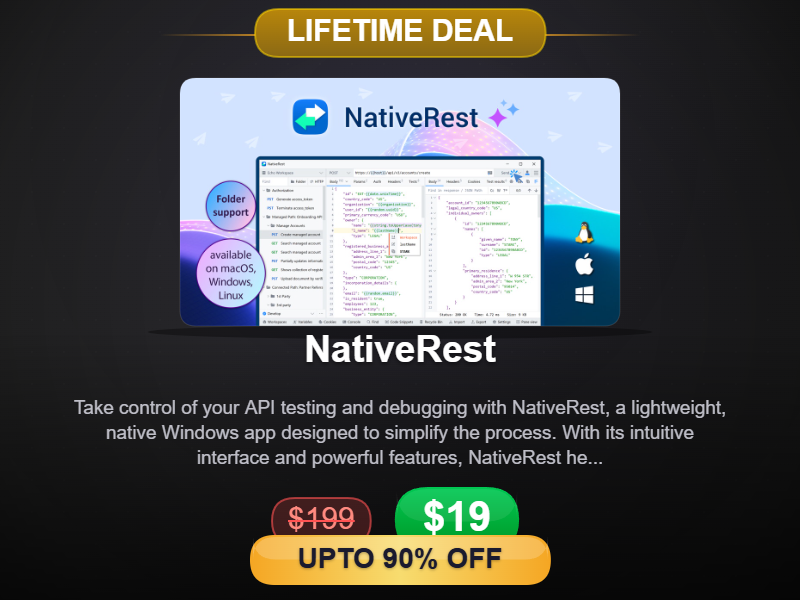
NativeRest is a 100% native desktop application for testing your API that does not use Electron.
NativeRest starts fast, uses less memory and CPU.
NativeRest, unlike other popular tools,
can be used without an account and internet connection. You decide to use only local workspaces or additionally create cloud workspaces.
When using local workspaces, all your collections, environments, requests
will be stored only on your computer. When working as a team, you can create personal cloud and team cloud workspaces.
NativeRest also supports grouping requests into folders. Folders allow you to organize requests by categories or API sections; requests sorting is also supported.
Just Released: Version 3.3.0 Major Update (March 2026) We are constantly improving! The latest v3.3.0 brings powerful enterprise-grade features:
- Seamless Postman Migration: Export and import collections in Postman format while fully preserving your nested folder structures and folder colors.
- Conditional Scripting: Automate your API workflows with the new if function and advanced comparison operators.
- Unmatched Performance: Zero UI freezes when rendering, expanding, or searching through massive XML and JSON responses.
- Enhanced Developer Tools: Added XML syntax highlighting, new built-in functions for binary data (hex.encode/decode), and unique identifiers (random.ulid).
To send a request to AI models, you don't need to construct a JSON request body, just specify your prompt and parameters, NativeRest will do the rest for you.
NativeRest provides a way to easily test your API. Use single line tests to check status, time, body, headers, cookies of response. You can use a list of commonly-used test code snippets to write your tests. Snippets are available in
Test Examples window.
Allowed relational operators:
==, !=, <, >, <=, >=, %%, =%, %=
- response.size >= 1000
- response.body.user.firstName == "Antonio"
- response.body.user.email %= "@gmail.com"
- response.body.user.age >= 18
- response.contentLength >= 512
Also allowed to set a variable value from the response body, headers and cookies.
{{myUsername}} = response.body.users[1].username
You can generate code snippets in various languages and frameworks within NativeRest. Over fifteen different languages: C, C#, cURL, Delphi, Go, HTTP, Java, JavaScript, Kotlin, Node.js, PHP, PowerShell, Python, Ruby, Shell, Swift, and more.